My Guitar Tabs Manual
My Guitar Tabs is a guitar tab maker and digital notebook for writing, organizing, syncing, and sharing your original compositions.
This manual describes how to create guitar tabs, manage your songs, work with tablature notation, sync across devices, share tabs, and export your music.
Start Writing Tabs
Start with the Getting Started guide, or open the app and create a guitar tab.
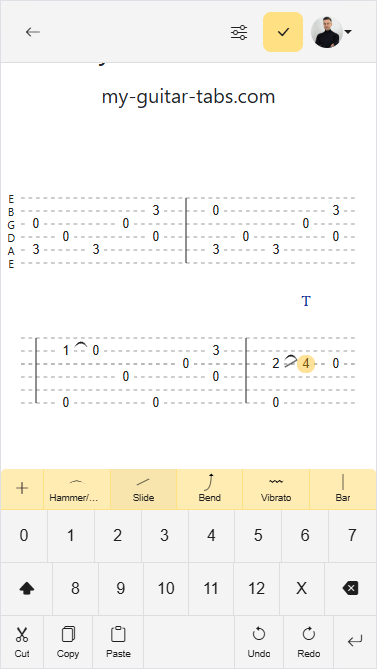
The Guitar Tabs Editor is designed for speed and ease of use. It feels like using pen and paper, but with the convenience of your phone, tablet, or computer, resulting in elegant creations.
Learn Tablature Notation
My Guitar Tabs supports common guitar tablature notation such as hammer-ons, pull-offs, slides, and more. See the Guitar Tabs Notation guide for examples and explanations.
Organize, Sync, and Share
Use My Guitar Tabs as a personal tablature notebook to keep your songs organized and available across devices. Learn how to manage your songs, sync songs across devices, and share songs with friends, bandmates, students, or collaborators.
Customize and Export
You can write tabs for different instruments such as bass and mandolin among others. Learn how to change instruments, change tuning, and export your tabs to PDF, ASCII, or GTAB.